← Back to log in All help topics
Maple Grove Home Care logo

Clock in and clock out, step by step

For caregivers: clock in when you arrive, write the visit note, enter vitals, clock out, and fix a missed clock.

Prefer to read? Show the written steps

Before your first visit

Allow location and notifications

When your phone asks, tap Allow for location. Your location is recorded only at the moment you clock in and clock out — it is the proof that you were at the visit.

Tap the bell at the top of the app and allow notifications. Your phone will then remind you when it is time to clock in and to clock out.

Tip: On an iPhone, open the app in Safari, tap the Share button, then Add to Home Screen. Open the app from that icon — iPhones only show reminders for apps added this way.
Clock in

When you arrive, tap Clock in now

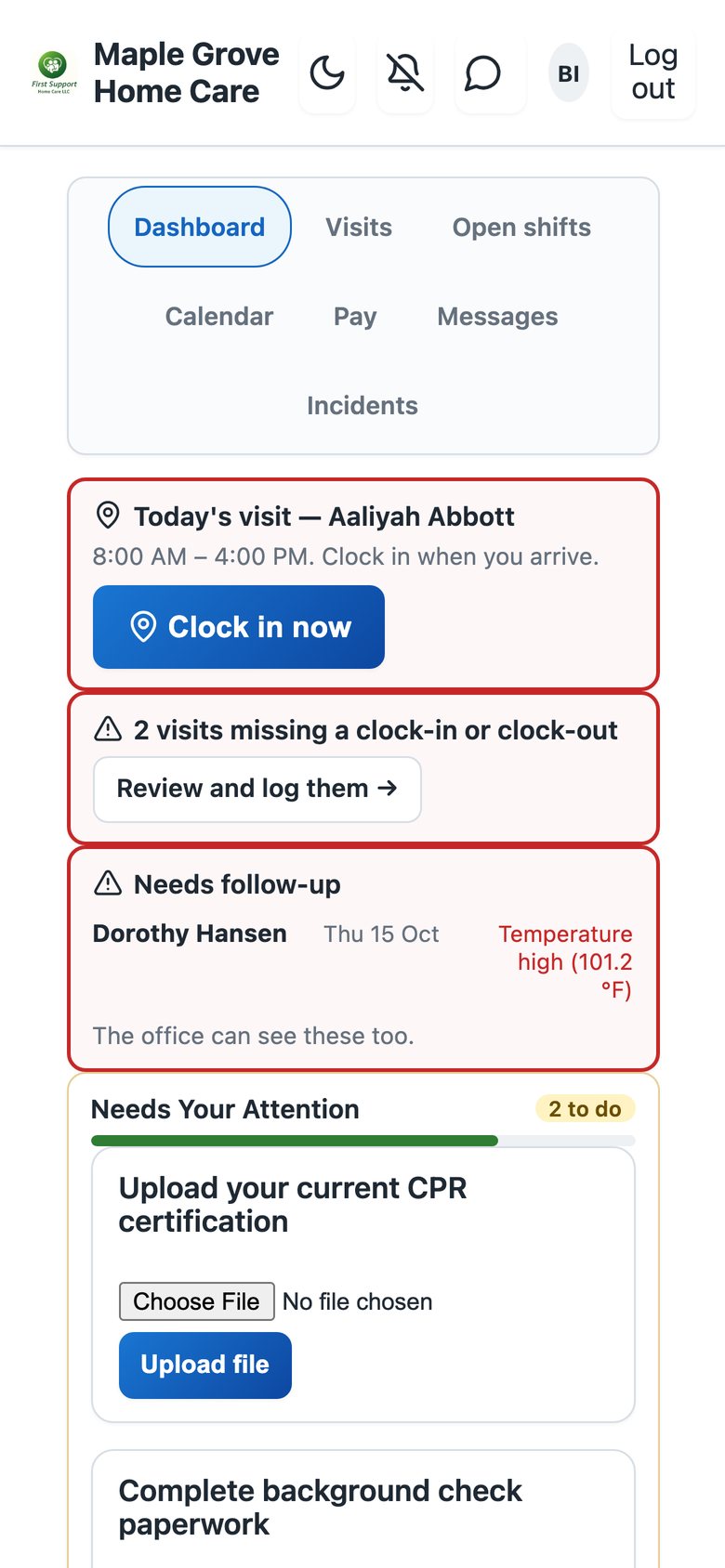
Log in. Today's visit is at the top of your dashboard. When you are at the client's home, tap Clock in now.

The dashboard with today's visit and the Clock in now button at the top

Not on today's schedule? Clock in from Visits

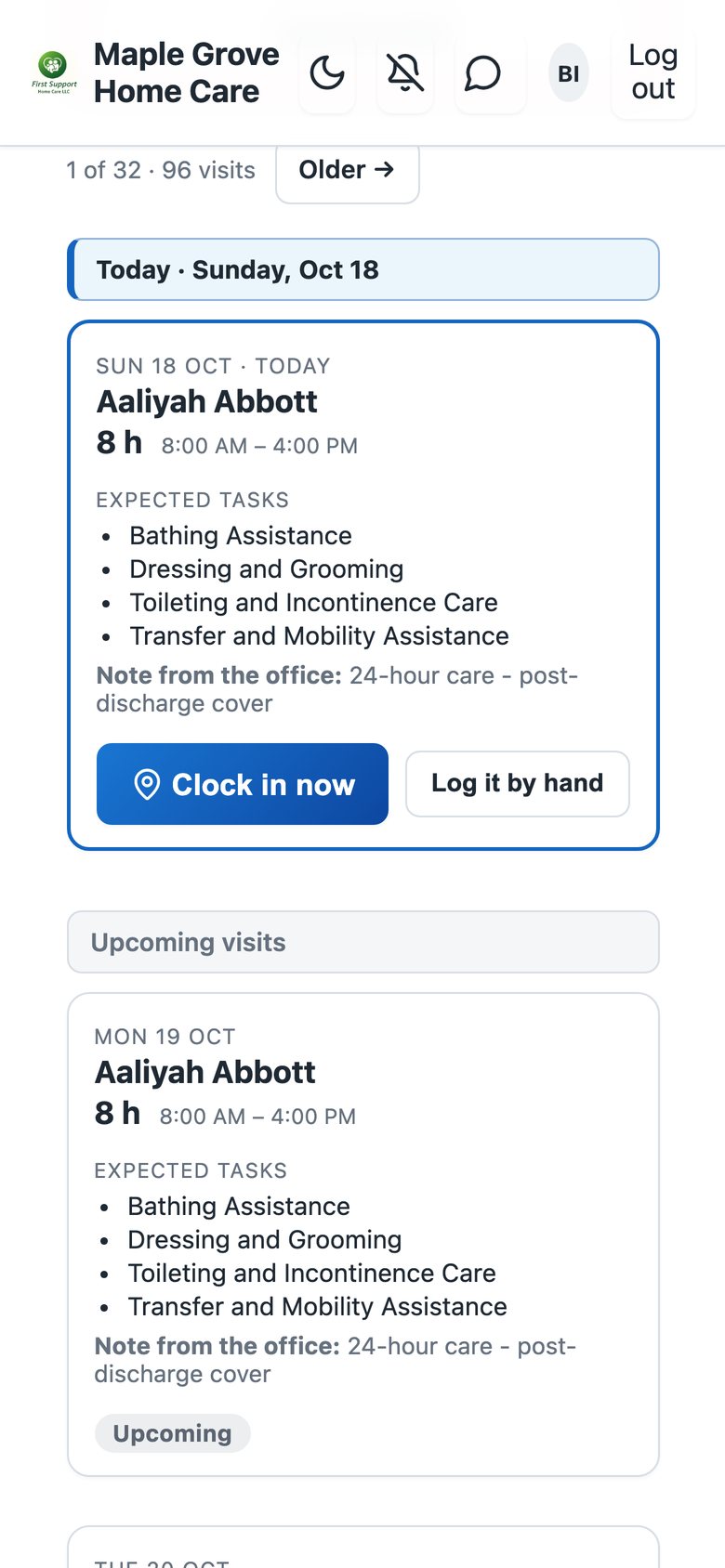
If the visit is not on your schedule, tap Visits, then Clock in here, choose the client and clock in. The office sees it straight away.

The Visits page with the visit and its Clock in button
The app after clocking in, showing the visit is in progress

During the visit

Write the note as you go

You can write the visit note at any time during the shift. It saves itself every few seconds, so nothing you type is lost.

Clock out

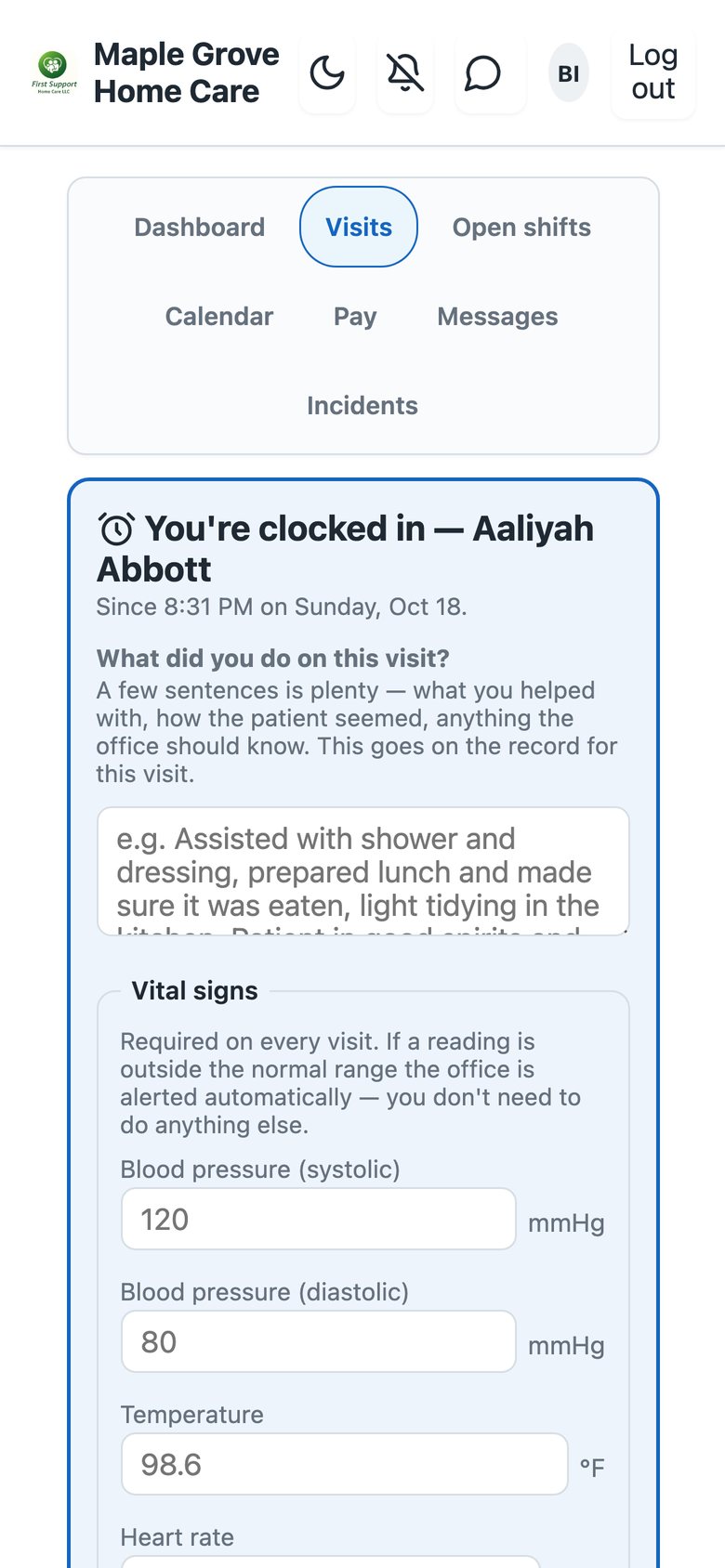
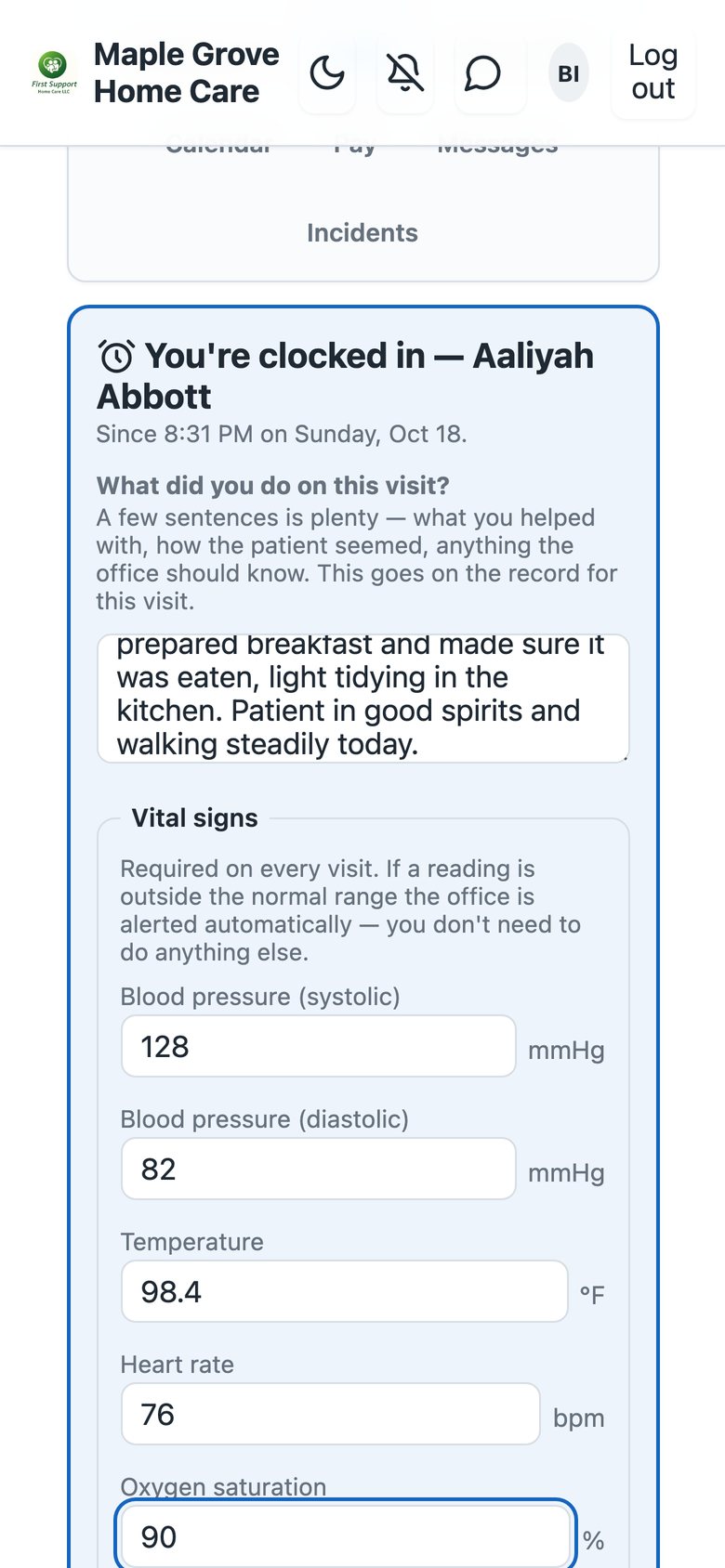
Enter the vitals and the checklist

Before you leave, enter all five vital signs and answer the checklist. If a reading is outside the normal range, the office is told automatically — you do not need to call.

The clock-out form with the vital signs and the visit checklist

Tap Clock out

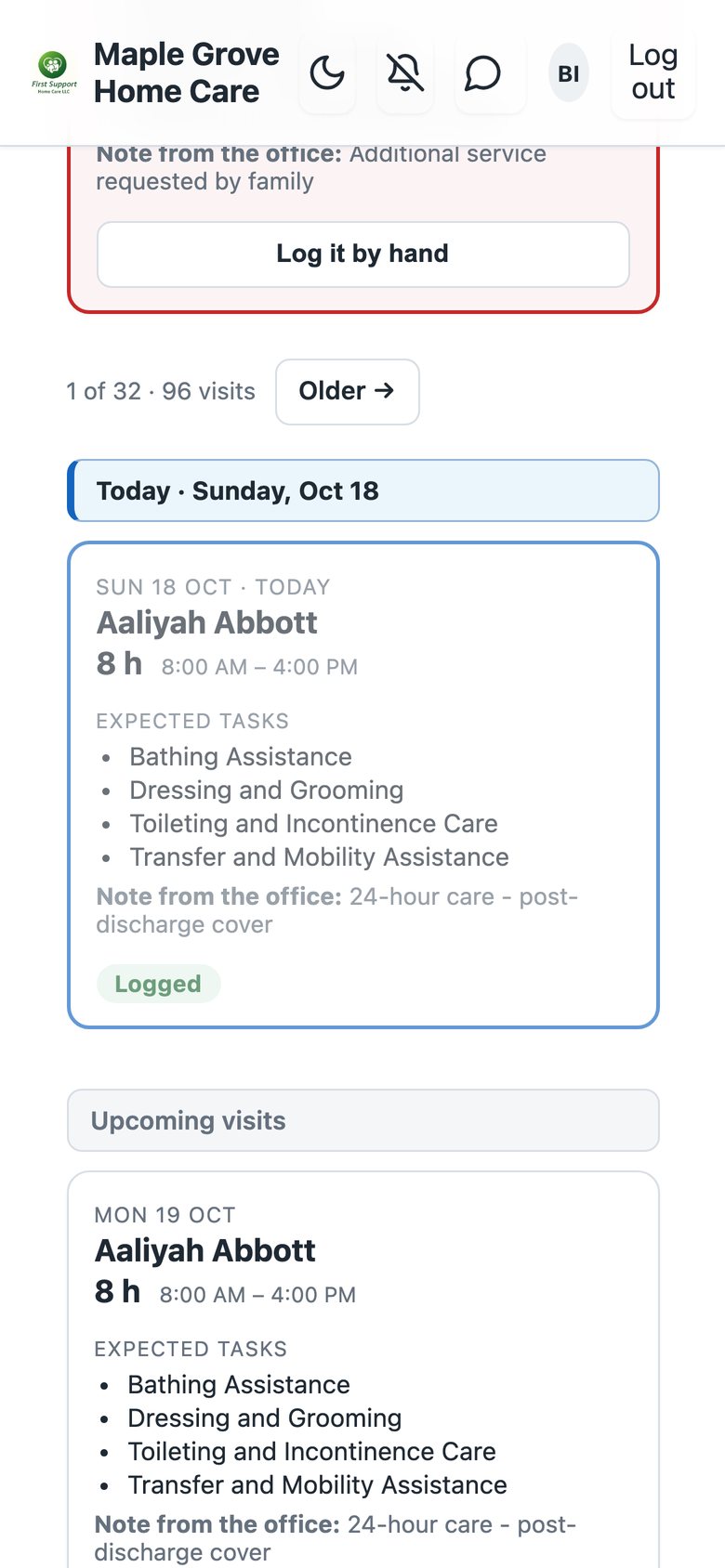
Tap Clock out. Your note, vitals and times are sent together and the visit shows as logged.

The visit shown as logged after clocking out

If you forgot to clock in or out

Fix it from your dashboard

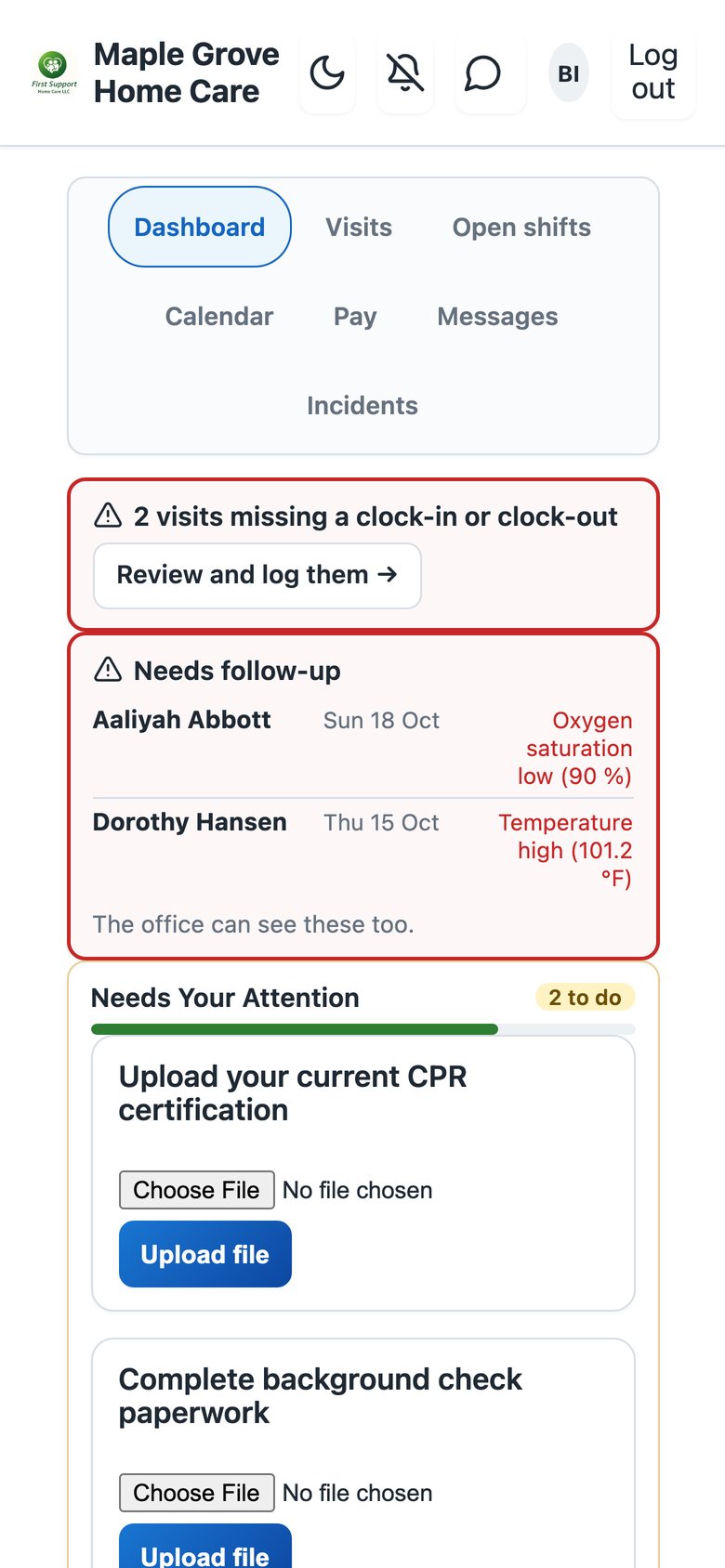
A visit with a missing clock-in or clock-out shows at the top of your dashboard. Tap Review and log them and enter the times. If you are not sure of the times, call the office instead.

The dashboard warning about visits missing a clock-in or clock-out

If something goes wrong

Need help?: Call us at (703) 555-0142 and we will go through it with you.